
How do I create a report?
Submitting research is easy, and with every submission, you get three reports. Just follow these simple steps!
- You can try out one report for free here at SciScore. Go to the Legacy System Login and login with your ORCID.
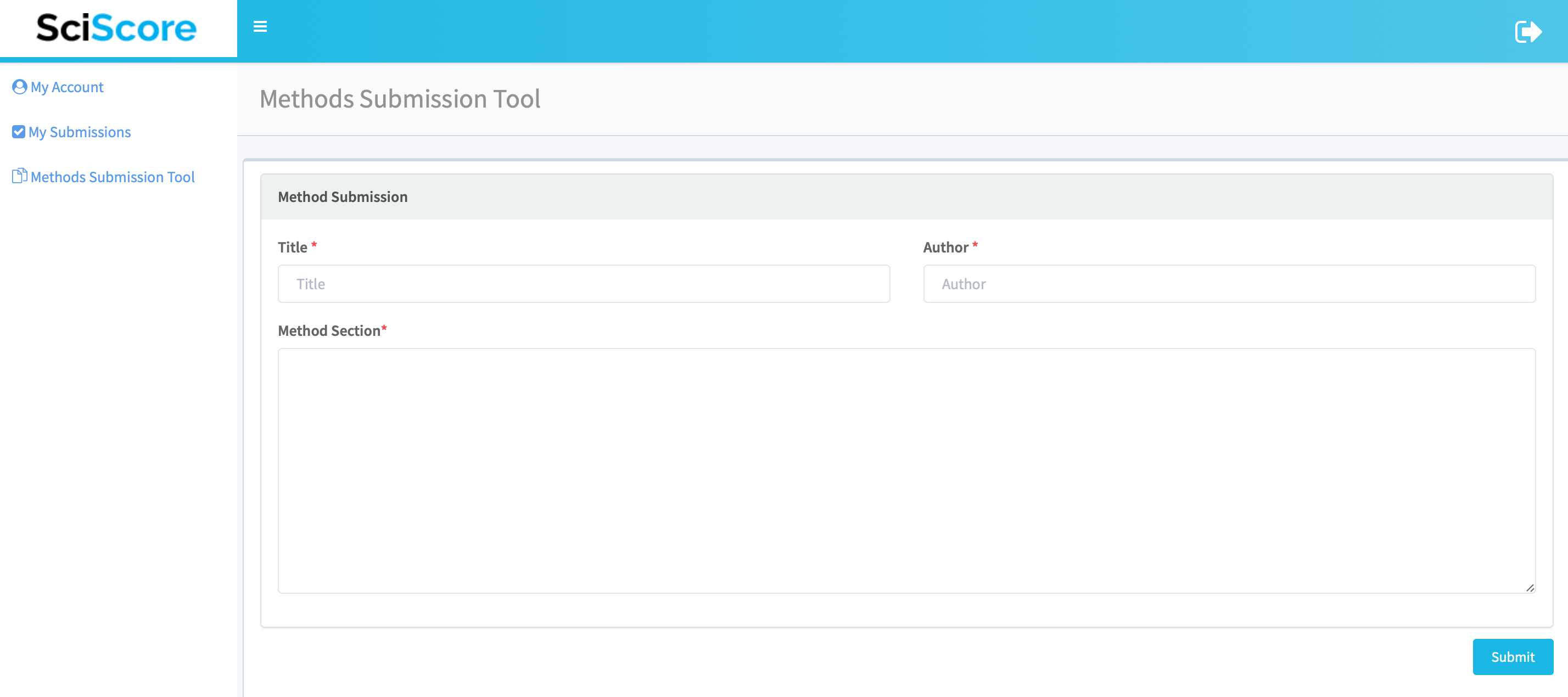
- Copy and paste your methods and materials section (or equivalent) into SciScore's methods submission tool.
- Hit submit and you'll have your reports (available in a .zip file) in no time!
- If you want to run more reports, go to AsedaSciences.

Core Report
SciScore quickly scans your research for common rigor and reproducibility criteria and can generate a report in as little as a few seconds.

MDAR Report
SciScore utilizes advanced natural language recognition systems and a vast library of terminology to return the most accurate results in the industry.

STAR Report
SciScore is committed to the protection of your intellectual property. Submissions are encrypted and quickly purged from our system.
- You can try out one report for free here at SciScore. Go to the Legacy System Login and login with your ORCID.
- Copy and paste your methods and materials section (or equivalent) into SciScore's methods submission tool.
- Hit submit and you'll have your reports (available in a .zip file) in no time!
- If you want to run more reports, go to AsedaSciences.
Core Report
SciScore quickly scans your research for common rigor and reproducibility criteria and can generate a report in as little as a few seconds.
MDAR Report
SciScore utilizes advanced natural language recognition systems and a vast library of terminology to return the most accurate results in the industry.
STAR Report
SciScore is committed to the protection of your intellectual property. Submissions are encrypted and quickly purged from our system.